Live-coding with Agent Skills
Why Live-coding Keeps Us Up At Night
Live-coding is hard. So hard that there are a lot of developers that expressly avoid them when giving talks, even to the point of faking them and making their typing more of a performance than writing the actual code. And I can understand why. Live-coding sort of subconsciously proves that the task is some level of possible because you can observe someone doing it, even if the steps are truncated. But given its live nature, anything can happen and its often more notable when nothing goes wrong.
A common strategy to thread the needle of having a live-coded demo and not looking down at the computer for the whole talk is to extract the essence of a demo, and just handwave away certain steps/security measures or by creating multiple checkpoints that you can swap between to keep the flow going.
These mitigations work but they limit the creativity of your app because you are optimizing for the spectacle and not for the viewer to be aware of all the parts that are happening.
This past IO Connect season, I found myself giving the same talk three times spaced a month apart. I like to evaluate a repeated talk to see what can make the next presentation better. The gap gave me enough headroom to try new things without fear that I would break the app an hour before a conf.
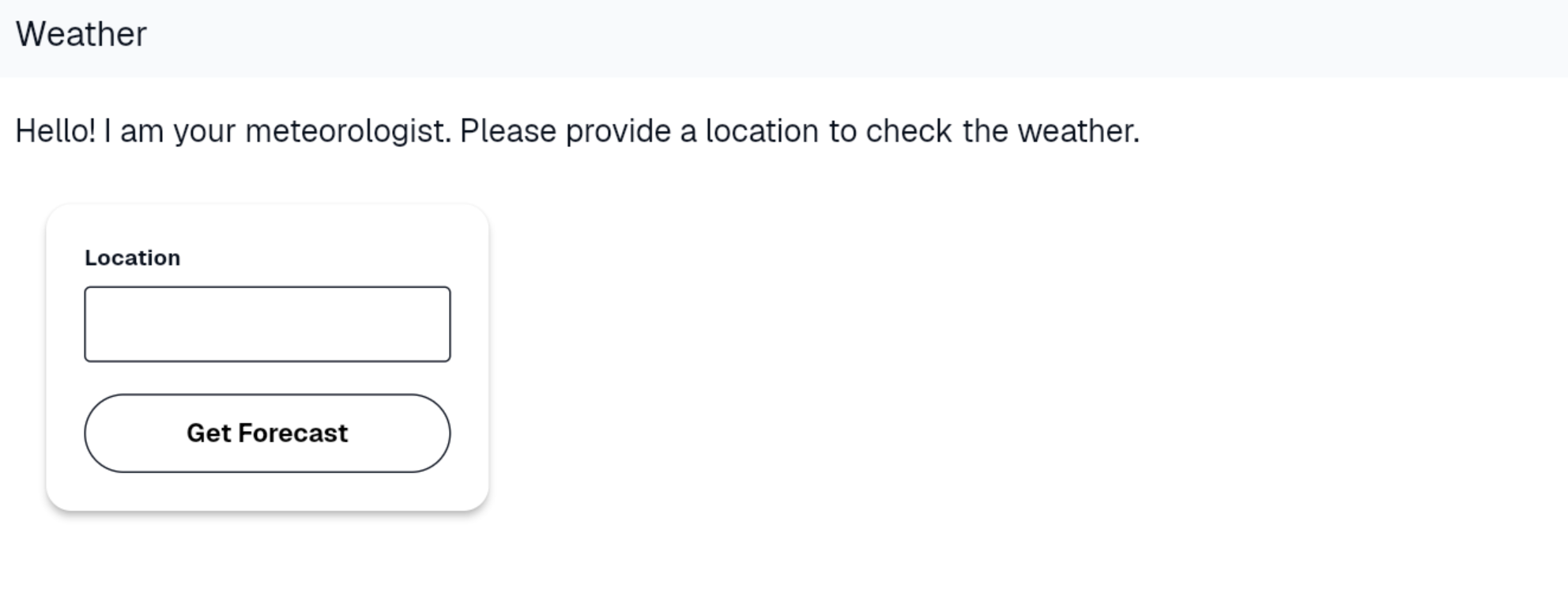
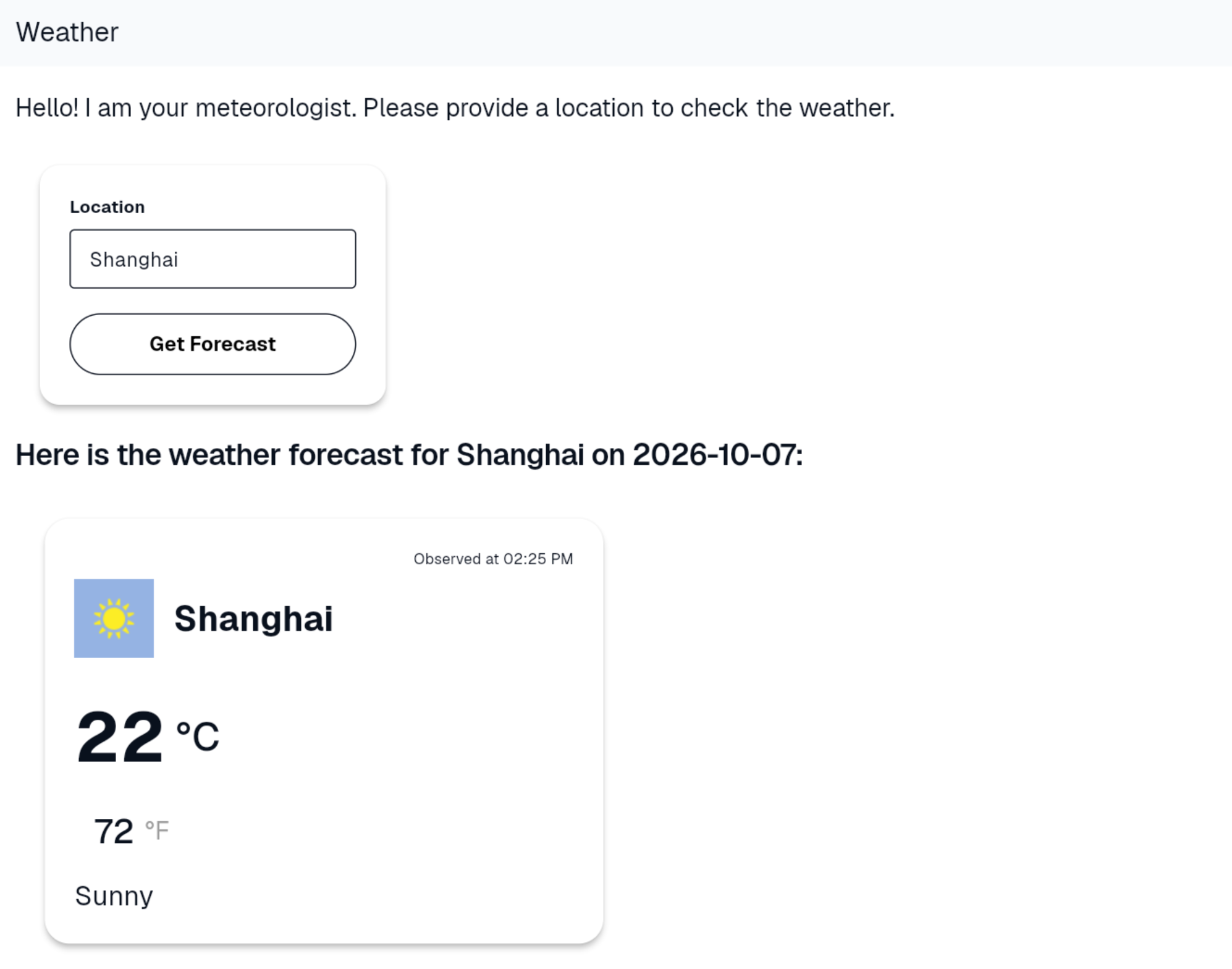
My workshop, using A2UI to make a chat agent that responds to requests with Generative UI to display weather forecasts, was fairly complex with lots of places to add/modify code. If it were a codelab, it would easily have twenty steps where a lot of files are changed and demoed multiple times. A general sweet spot is under ten. I thought to myself what if I used agent skills to help me livecode? Do the steps in to walkthrough easily map to a modular set of steps to accomplish the overaching task? Turns out it can and they do.
Helping Future Me By Accident
The first step to getting this working was actually an accident. Typically for workshops, the protocol is to have already published a codelab, a walkthrough of the app’s creation step by step. The APIs in question were pretty stable but the scope of the app wasn’t locked until about a month before IO Connect Berlin so the "codelab" was a Org-mode text document with each explicit code change, a rationale for why it changed and related context information.
"Upskilling" My Demo Flow
I designated my co-presenter as "driver" while I narrated the hows and whys of the code. Prior to our talk, he ran through the content a couple times, fixed some errors, and converted it all into a Markdown file.
Something about seeing the file rewritten in Markdown made me consider the question of if it could be distilled down into skills.
The exact prompt I used in Antigravity lost to time but it was something on the lines of "Convert this walkthough into a set of agent skills". The initial target audience of the walkthrough was a human presenter who needed to have clear instructions for which files to change. The level of detail helped an agent to digest it and break out a related actions into skills.
Here are a couple of the skills it derived. One to create a runtime script and another that creates the UI for the app.
---
name: genui_workshop_run_cloud_shell
description: Creates a shell script to build and run the Flutter web app on Cloud Shell using a local HTTP server.
---

# GenUI Workshop - Run on Cloud Shell

**Goal**: Create a script to easily build and serve the Flutter web app on Cloud Shell.

**Instructions**:
Use your code editing tools to create a shell script in the root of the project and make it executable.

1. Create a file named `run_cloud_shell.sh` in the root directory of the project with the following content:
```shell
#!/bin/bash
# Builds the web target and serves it on port 8080
flutter build web
python3 -m http.server 8080 --directory build/web
```

2. Make the script executable by running the following command:
```bash
chmod +x run_cloud_shell.sh
```

*(Note: We use `python3` instead of `python` just in case `python` isn't mapped to Python 3 in the environment, though `python -m http.server` as written in the README is also fine if `python` points to python 3.)*---
name: genui_workshop_step_7
description: Execute Step 7 of the GenUI Workshop, creating the weather card widget and fake forecast data.
---
# GenUI Workshop - Step 7
**Goal**: Execute Step 7 of the GenUI workshop.
**Instructions**:
Use your code editing tools to create the weather card catalog widget, fake forecast data, and update the app's configuration.
1. Create `lib/catalog/weather_card.dart`:
```dart
import 'package:flutter/material.dart';
import 'package:genui/genui.dart';
import 'package:json_schema_builder/json_schema_builder.dart';
final forecastSchema = S.object(
properties: {
'area_name': S.string(),
'current_condition': S.object(
properties: {
"temp_C": S.number(),
"temp_F": S.number(),
"humidity": S.number(),
"observation_time": S.string(),
},
),
'weatherDesc': S.string(),
'weatherIconUrl': S.string(),
},
);
final weatherCard = CatalogItem(
name: 'WeatherCard',
dataSchema: forecastSchema,
widgetBuilder: (itemContext) {
return WeatherCard(data: itemContext.data as Map<String, Object?>);
},
);
class WeatherCard extends StatelessWidget {
final Map<String, Object?> data;
const WeatherCard({super.key, required this.data});
@override
Widget build(BuildContext context) {
final currentCondition = data["current_condition"] as Map<String, Object?>;
return Container(
width: 500,
padding: const EdgeInsets.all(20),
child: Card(
elevation: 4,
shape: RoundedRectangleBorder(borderRadius: BorderRadius.circular(20)),
child: Padding(
padding: const EdgeInsets.all(24.0),
child: Column(
mainAxisSize: MainAxisSize.min,
crossAxisAlignment: CrossAxisAlignment.start,
children: [
Row(
mainAxisAlignment: MainAxisAlignment.end,
children: [
Text(
"Observed at ${currentCondition["observation_time"]}",
style: TextStyle(fontSize: 12),
),
],
),
const SizedBox(height: 8),
Row(
children: [
Image.network(
data["weatherIconUrl"].toString(),
errorBuilder: (context, err, trace) {
return Icon(Icons.wb_sunny, size: 32,);
},
),
const SizedBox(width: 16),
Text(
data["area_name"].toString(),
style: TextStyle(fontSize: 28, fontWeight: FontWeight.bold),
),
],
),
const SizedBox(height: 24),
Row(
children: [
Text(
currentCondition["temp_C"]!.toString(),
style: TextStyle(fontSize: 56, fontWeight: FontWeight.bold),
),
SizedBox(width: 8),
Text(
"°C",
style: TextStyle(fontSize: 32, fontWeight: FontWeight.w500),
),
],
),
const SizedBox(height: 16),
Row(
children: [
const SizedBox(width: 16),
Text(
currentCondition['temp_F'].toString(),
style: TextStyle(fontSize: 28, fontWeight: FontWeight.w500),
),
SizedBox(width: 8),
Text(
"°F",
style: TextStyle(fontSize: 20, color: Colors.grey),
),
],
),
const SizedBox(height: 16),
Text("${data['weatherDesc']}", style: TextStyle(fontSize: 22)),
],
),
),
),
);
}
}
```
2. Create `lib/catalog/fake_forecast.dart`:
```dart
var fakeForecast = {
'area_name': 'Baltimore (Mount Clare)',
'current_condition': {
'temp_C': 22,
'temp_F': 72,
'humidity': 61,
'observation_time': '02:25 PM',
},
'weatherDesc': ' Sunny',
'weatherIconUrl':
'https://cdn.worldweatheronline.com/images/wsymbols01_png_64/wsymbol_0001_sunny.png',
};
```
3. Edit `lib/main.dart` to import the new catalog item and add it to `BasicCatalogItems.asCatalog().copyWith(...)`:
Add this import at the top:
```dart
import 'package:genui_workshop/catalog/weather_card.dart';
```
And in `initState`, modify `catalog = BasicCatalogItems.asCatalog().copyWith(newItems: [weatherInput]);` to include the `weatherCard`:
```dart
catalog = BasicCatalogItems.asCatalog().copyWith(
newItems: [weatherInput, weatherCard],
);
```Practice, Practice, Practice
With this starting base, I worked to tighten things up. I added new skills for things not previously covered and bisected other ones. Sometimes I would find something in a far later step that should have been added earlier. With everything as skills, I could easily add the missing bits where they needed to be without dealing with cherry-picking or branch shenanigans.
Moving From Theory to Practice
The skill idea came after round 1 of the workshop (IO Connect Berlin) and though I mentioned it to my co-presenter for round 2 (IO Connect Bengaluru), he elected to prepare multiple copies of the walkthrough in advance and not use the skills. IO Connect Shanghai would be the time where I would not only get an opportunity to use the skills flow but where it would also be required. I had co-presenters for the talk but I’d be doing all of the actual coding content on my own.
Before the talk, I did the un-agentable setup myself, that’s to say things that either don’t have APIs or it would be highly insecure to allow an agent to do, like installing the skills and agent in the workspace as well as creating Firebase projects and API keys. As I went through the workshop, I asked the agent to run the skills by name. I also turned off YOLO mode, the setting where changes are applied without pausing for human input. Having it on would defeat the purpose of discussing the changes in time. Another change from a typical agent was that the agent was not free to automonously choose to run skills without prompting. It only did so at my dirrection
The setup allowed me to run the coding section from start to finish many times with stable inputs and outputs but that didn’t eliminate all problems.
Risks
With enough detail in your source document and skills, you can avert most errors. But there have been times where the skills copy things wrong and spawn some small errors. This is where the choice about YOLO mode comes in handy. The agent couldn’t get too far down a problematic path. When a error occurred, I could quickly localize it. The files and snippets touched in the current or last skill were the shortlist of places to check first.
Conclusion
I’m looking forward to using this method more and more in my talks to unlock more expansive apps with the security that I won’t miss a small step that makes the talk a community debugging session.
Agent Skills in presentations are:
-
Durable. They aren’t as susceptible to human error as doing things from memory or by hand.
-
Reproducible. Another presenter or agent could run the skills and get a general baseline experience.
-
Maintainable. The reproducibility allows them to be run more often and by more parties due to a lessened lift to run them from start to finish. Being often and easily run means that when unavoidable errors occur, they can be rooted out quickly. Full code blocks and prose with contextual rationale helping both humans and agents in the moment. It’s also helpful for larger and newer LLMs as technology advances.